
Cloudflare Is Not Hosting. It Is Something Else Entirely
People talk about Cloudflare as if it is hosting. It is not. Cloudflare is a reverse proxy. A CDN. A security layer. A performance optimizer.
You still have actual hosting somewhere. Cloudflare sits in front of it. Everything your visitors see goes through Cloudflare first.
This changes everything about how your website performs and what attacks it can withstand.
How Cloudflare Works (In Simple Terms)
Your website is hosted on a server somewhere. That server has an IP address. Normally visitors connect to that IP address directly.
With Cloudflare, visitors connect to Cloudflare instead. Cloudflare fetches your content from your server and sends it to the visitor.
This simple redirection enables security, speed, and protection that would be impossible otherwise.
What Cloudflare Actually Does
Caches your content: Your pages, images, CSS files are stored on Cloudflare servers around the world. Visitors get content from a server near them, not your single server.
DDoS protection: Attack traffic is filtered out before it reaches your actual server. Your server stays safe and responsive.
SSL/TLS encryption: HTTPS for free. Your site is encrypted automatically.
Firewall rules: You can block traffic by country, by patterns, by anything. Bots get blocked before they consume your server resources.
Performance optimization: Images compressed automatically. Code minified. Resources cached intelligently.
The Speed Advantage
Your server is in America. A visitor in Australia requests a page. Without Cloudflare, that request travels halfway around the world, then the response travels back.
With Cloudflare, the Australian visitor gets content from Cloudflare servers in Australia. Page loads in milliseconds instead of seconds.
This is not theoretical. This is measured. Real improvement.
DDoS Protection That Actually Works
A DDoS attack sends millions of requests to your server simultaneously. Your server gets overwhelmed. Your website goes down.
Without Cloudflare: You are on your own. Good luck.
With Cloudflare: Their systems see millions of requests from the same sources and recognize it as an attack. Those requests get dropped before they reach your server. Your site stays up.
The Cost of Cloudflare
Cloudflare free plan: Actually useful. Caching, basic DDoS protection, HTTPS, basic firewall rules.
Cloudflare Pro: Twenty quid a month. Advanced firewall rules, more caching control, priority support.
Cloudflare Business: Two hundred quid a month. Enterprise features, custom certificates, advanced analytics.
For most people, the free plan is plenty. The paid plans are for sites getting serious traffic or needing advanced security.
When Cloudflare Makes Sense
Your website gets DDoS attacks. You need protection. Cloudflare solves this without expensive dedicated DDoS mitigation services.
Your hosting is in one location but your visitors are global. Cloudflare caching makes your site fast everywhere.
You want HTTPS but your hosting provider charges extra or does not support it well. Cloudflare gives you HTTPS automatically.
You get bot traffic crushing your server. Cloudflare firewalling filters it out.
You want to block certain countries or IPs. Cloudflare makes this simple.
When Cloudflare Is Overkill
Your site gets minimal traffic. You are running a personal blog. You have no security concerns.
Cloudflare is still free to use so no downside. But you might not feel the benefits.
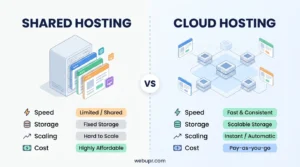
The Cloudflare vs Traditional Hosting Comparison
Traditional hosting like Hostinger or Namecheap gives you a server. You put files on it. The server handles everything.
Cloudflare is not hosting. It is an add-on. Your actual hosting still exists somewhere. Cloudflare just makes it faster and safer.
You need both. Cloudflare cannot replace hosting. But hosting without Cloudflare is slower and more vulnerable.
The Firewall Rules That Protect You
Cloudflare lets you write rules. Block requests from certain IPs. Block requests to admin pages except from your IP. Block requests that look like SQL injections.
This happens at Cloudflare level, before your server even sees the request. Your server never wastes resources on malicious traffic.
Analytics That Actually Tell You Something
Cloudflare shows you traffic patterns. Which requests are cached. Which are hitting your origin. Attack traffic. Bot traffic. Real user traffic.
This information helps you understand what is actually hitting your site and optimize accordingly.
Page Rule Options
You can set rules for specific URL patterns. Cache everything for one section of your site. Do not cache another section. Redirect traffic. Bypass cache for authenticated users.
This level of control is powerful for performance tuning.
Browser Caching vs Cloudflare Caching
Browser caching stores files on your visitor computer. Good for returning visitors.
Cloudflare caching stores files on Cloudflare servers globally. Good for everyone.
Both work together. Browser cache is checked first. If not there, Cloudflare cache. If not there, your origin server.
The Setup Process
You sign up for Cloudflare. You change your domain nameservers to point at Cloudflare. That is it.
Simple. No technical work required.
Potential Issues With Cloudflare
Sometimes Cloudflare is too aggressive in filtering. Legitimate requests get blocked. You have to adjust firewall rules.
Sometimes caching causes issues. You update your site but visitors still see the old version. You have to manually purge cache.
For most sites, these are minor issues. But they are worth knowing about.
Comparing to Other CDNs
Akamai is a CDN but enterprise-focused and expensive.
Google Cloud CDN requires hosting on Google Cloud.
AWS CloudFront is powerful but requires AWS setup and knowledge.
Cloudflare is simpler and cheaper for most websites.
The Real World Performance Boost
Test it yourself. Turn on Cloudflare. Test your site speed with Google PageSpeed Insights. You will likely see improvement.
The improvement is more noticeable for sites with global traffic or heavy image usage.
Is Cloudflare Worth It
Free plan? Yes. Use it. No downside.
Paid plans? Depends on your needs. If you are getting serious traffic or serious attacks, the cost is worth it.
But start free. See if you need the paid features. Most sites do not.
The Bottom Line
Cloudflare makes your site faster for global visitors. Cloudflare makes your site more secure against attacks. Cloudflare is free to start.
There is basically no reason not to use Cloudflare. You lose nothing. You gain speed and security.
If you are still using basic hosting without a CDN, set up Cloudflare today. Your visitors will notice the difference immediately.