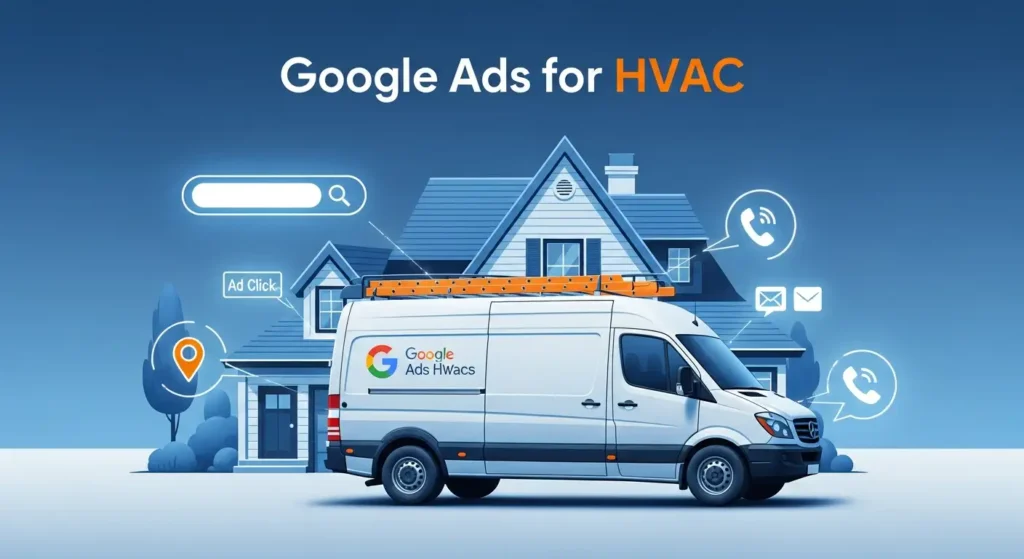
Running an HVAC business is tough. You never know when calls will slow down. Some days you’re packed with jobs. Other days, your phone stays quiet. That’s where Google Ads comes in. It helps you reach people who need your service right now — not next week or next month. Whether it’s a broken AC or a heating emergency, your ad can show up when they search. In this guide, you’ll learn how to use Google Ads to get more leads, more calls, and steady work all year long.
Why HVAC Businesses Need Google Ads
Most people don’t plan for a broken air conditioner or furnace. They search on Google the moment something goes wrong. When your business shows up at the top, you get the first call. That’s the power of Google Ads.
Unlike SEO, which can take months, Google Ads gives instant results. You can start showing your ads within hours. It helps you target customers near your service area who are ready to hire. You pay only when someone clicks your ad.
Google Ads also lets you control your budget. You can set a daily limit and pause anytime. It’s a flexible way to attract high-intent customers who are already searching for “AC repair near me” or “emergency heating service.”
With the right setup, Google Ads becomes your 24/7 marketing tool. It keeps your phone ringing even during slow seasons.
Core Campaign Types to Run
Google offers different campaign options. Each serves a purpose. For HVAC, three main types work best.
1. Search Campaigns
These are the most common. They appear when someone types a keyword like “HVAC repair in Dallas.” You choose keywords that match your service. When people search, your ad shows up. It’s simple and powerful.
Use search campaigns for high-intent words — the ones people use when they’re ready to book a service. These clicks may cost more, but they often lead to real jobs.
2. Local Services Ads (LSAs)
Local Services Ads appear above regular Google Ads. They show your business name, rating, and phone number. You only pay when someone calls or messages you. For HVAC businesses, this is gold. It builds trust fast because customers see verified and reviewed local pros.
3. Performance Max or Display Remarketing
Performance Max campaigns help you reach people across Google Search, Maps, YouTube, and Gmail. Display remarketing shows ads to people who visited your site but didn’t contact you. These remind them to come back and book.
By combining these types, you can reach new customers and stay top-of-mind with old ones.
Keyword Strategy
Choosing the right keywords is like finding the best routes for your ads. Pick words that match what people search before calling an HVAC technician.
Start with intent-based keywords. For example:
-
“AC repair near me”
-
“furnace repair same day”
-
“HVAC installation”
-
“heating repair 24/7”
These show clear buying intent. Avoid broad terms like “air conditioner” or “HVAC tips.” They waste money on users who are just browsing.
Use exact match for precise targeting and phrase match for variations. Always add negative keywords to block searches that don’t fit, such as “HVAC salary” or “HVAC training.” This keeps your ads focused on customers, not job seekers or researchers.
Don’t forget local terms. Add your city, suburb, or service area. For example: “AC repair in Houston” or “HVAC maintenance Denver.” Geo-modified keywords improve lead quality and lower cost per click.
Track which keywords bring calls and remove the rest. The more you refine, the less you waste.
Ad Copy and Extensions That Convert
Writing the right ad copy makes all the difference. Your ad should speak to pain and promise a fix. Use simple language that builds trust.
Example:
Headline: “24/7 AC Repair – Call Local HVAC Experts Now”
Description: “Fast response, licensed technicians, and upfront pricing. Keep your home comfortable today.”
Add your offer — free estimates, same-day service, or no call-out fee. Include strong words like “today,” “fast,” or “guaranteed.” They push people to act.
Don’t forget ad extensions. They make your ad bigger and more helpful.
-
Call extension: adds a direct call button.
-
Location extension: shows your address and helps customers find you.
-
Structured snippet: lists your services like “AC repair, furnace install, duct cleaning.”
Each extension improves visibility and can boost clicks without raising costs.
Landing Pages and Conversion Setup
When people click your ad, they should land on a page that feels relevant and simple. Never send them to your homepage. A focused landing page performs better.
Use a clear headline that matches your ad. Example: “Fast AC Repair in Chicago.” Add your phone number at the top and make it clickable on mobile. Include short, direct forms with fields for name, phone, and service type.
Show trust signals — reviews, local awards, or certification badges. Add a few photos of your team or trucks for credibility.
Set up call tracking to know which ads drive phone calls. Connect Google Ads with GA4 so you can see real results — calls, form fills, and booked jobs.
Every click should lead to a clear action. If the user has to think, they’ll leave. Keep it clean, quick, and clear.
Tracking, Attribution, and Analytics
Once your campaigns start running, tracking results is key. Without it, you won’t know what’s working. Every click, call, and form submission tells a story. Use these numbers to guide your next move.
Start with Google Ads conversion tracking. It helps you see which keywords and ads bring calls or leads. Link it with Google Analytics 4 (GA4) to understand what visitors do after they click. You’ll see how long they stay, what pages they view, and if they reach out for help.
Call tracking is also important for HVAC businesses. Most of your leads come from phone calls. Use call tracking numbers to know which ad or keyword made the phone ring. This data helps you spend more on what actually works.
You can also upload offline conversions. If someone calls today and books a job tomorrow, count it. That’s the real picture of success. Over time, these insights help you spend less and earn more.
Bid Strategy and Budget Recommendations
When starting out, set a small daily budget. $20–$50 per day is enough to test your ads. Watch how many clicks and calls you get. Don’t rush to raise the budget too soon.
Use manual bidding at first. It gives you control and helps you learn the cost per lead in your area. Once you get 30–50 conversions, switch to Target CPA or Maximize Conversions. These smart strategies let Google find leads similar to your best ones.
Adjust your bids based on location and device. For example, raise bids for mobile users during hot summer days when emergency calls spike. Focus more on ZIP codes where you’ve closed good jobs before.
The goal is not to get cheap clicks but to get quality leads. A few good clicks that turn into jobs are better than hundreds of random visits.
Common Mistakes and How to Fix Them
Many HVAC businesses waste money on small errors. Let’s avoid those.
1. No Negative Keywords
Without them, your ads show for unrelated searches. Add negatives like “HVAC jobs,” “training,” or “DIY” to save budget.
2. Poor Landing Pages
If your landing page loads slow or looks messy, people leave. Keep it fast, mobile-friendly, and clear. Use short forms and bold call buttons.
3. Ignoring Data
Don’t “set and forget.” Check your data every week. Look at which keywords bring real calls. Pause the ones that don’t.
4. Broad Targeting
Don’t target the whole city if you only serve certain areas. Focus your ads where your best customers live. It cuts wasted clicks.
Fixing these small things can double your results without increasing your budget.
Advanced Tips and Scaling
Once you’re getting steady leads, it’s time to grow. Here’s how.
1. Use Local Services Ads and Search Together
This combo gives your business more visibility. You can show up twice on the same search — one ad at the top and one below. More space means more trust.
2. Build Seasonal Campaigns
Create separate ads for summer and winter. In summer, push AC repair and cooling maintenance. In winter, focus on heating and furnace services. Seasonal focus keeps your ads relevant.
3. Retarget Past Visitors
Use remarketing to remind visitors who didn’t call. They already know your name, so they’re easier to convert later.
4. Track Offline Sales
Upload job data from your CRM to Google Ads. It helps the system find more leads like your best customers.
These steps take your account from “just running ads” to a real growth engine.
30/60/90-Day Plan
First 30 Days:
-
Research and test keywords.
-
Set up call tracking.
-
Launch your first campaign.
-
Write three ad variations for each service.
Days 31–60:
-
Review search terms and add negative keywords.
-
Optimize landing pages based on call data.
-
Pause weak ads and boost top performers.
Days 61–90:
-
Try automated bidding once data is strong.
-
Add remarketing or Performance Max.
-
Raise budget in the best-performing areas.
Follow this plan, and you’ll see consistent calls by the third month.
Conclusion
Google Ads can turn slow days into steady work. When done right, it brings high-quality leads from people who need your help right now. Start small, track everything, and grow with data.
Whether you handle heating, cooling, or both — Google Ads keeps your business visible, your schedule full, and your phones ringing. The sooner you start, the faster you’ll see results.